
UniFi Access in Kuwait
UniFi Access is Ubiquiti's door access control system. Readers, door hubs and locks run on your UniFi network, and you manage every door, person and schedule from one app with no licence fee.
Centrix supplies the G3 readers and door hubs and installs the complete door in Kuwait, from the lock to the cabling.
How a UniFi Access door works
Every door has a hub. The hub sits on the secure side of the door and connects to your network with one cable that carries both data and power (PoE++). It powers the reader, switches the lock and reads the door sensors. The console runs the UniFi Access app, where you add people and set who can open which door and when.
In the network cabinet
- UniFi console
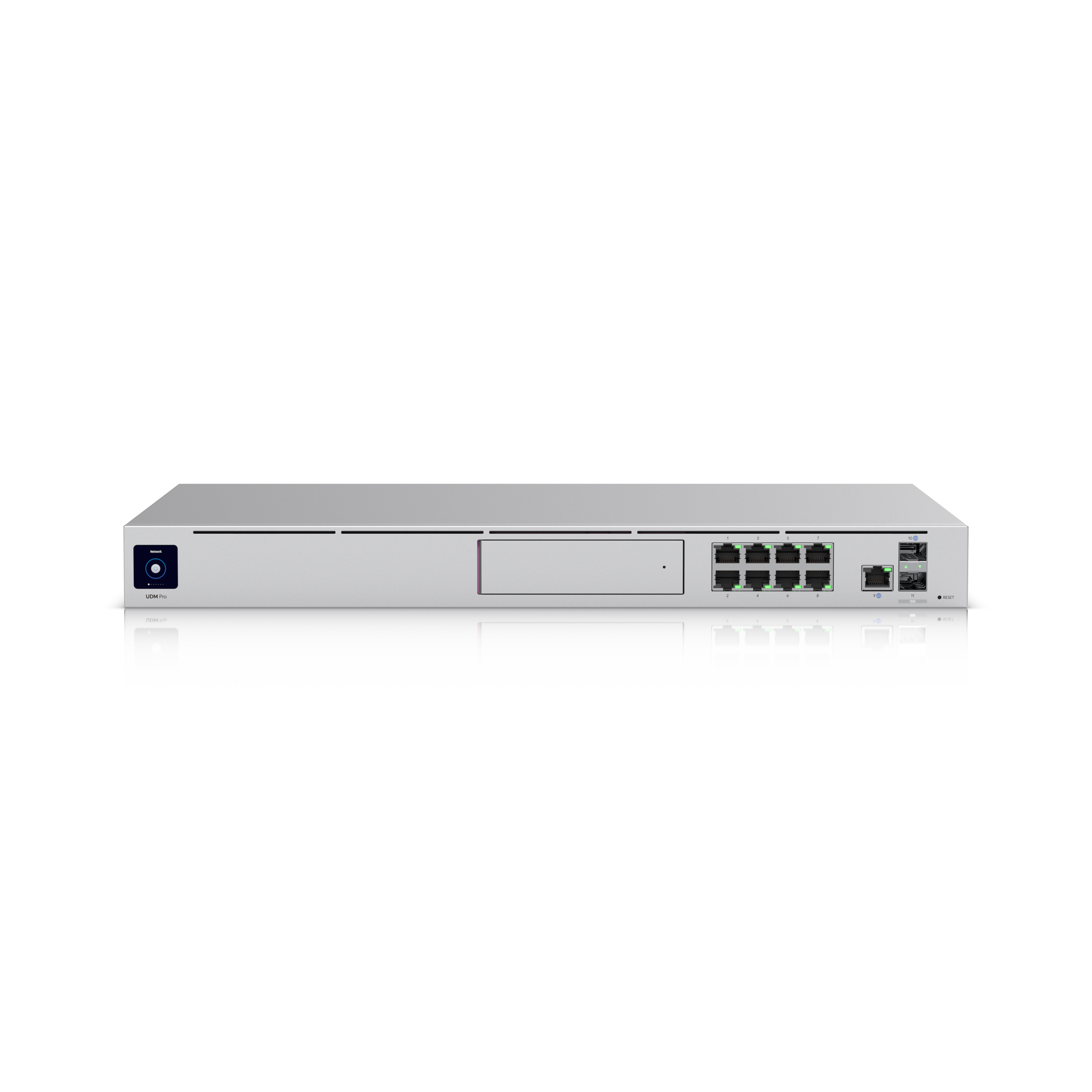
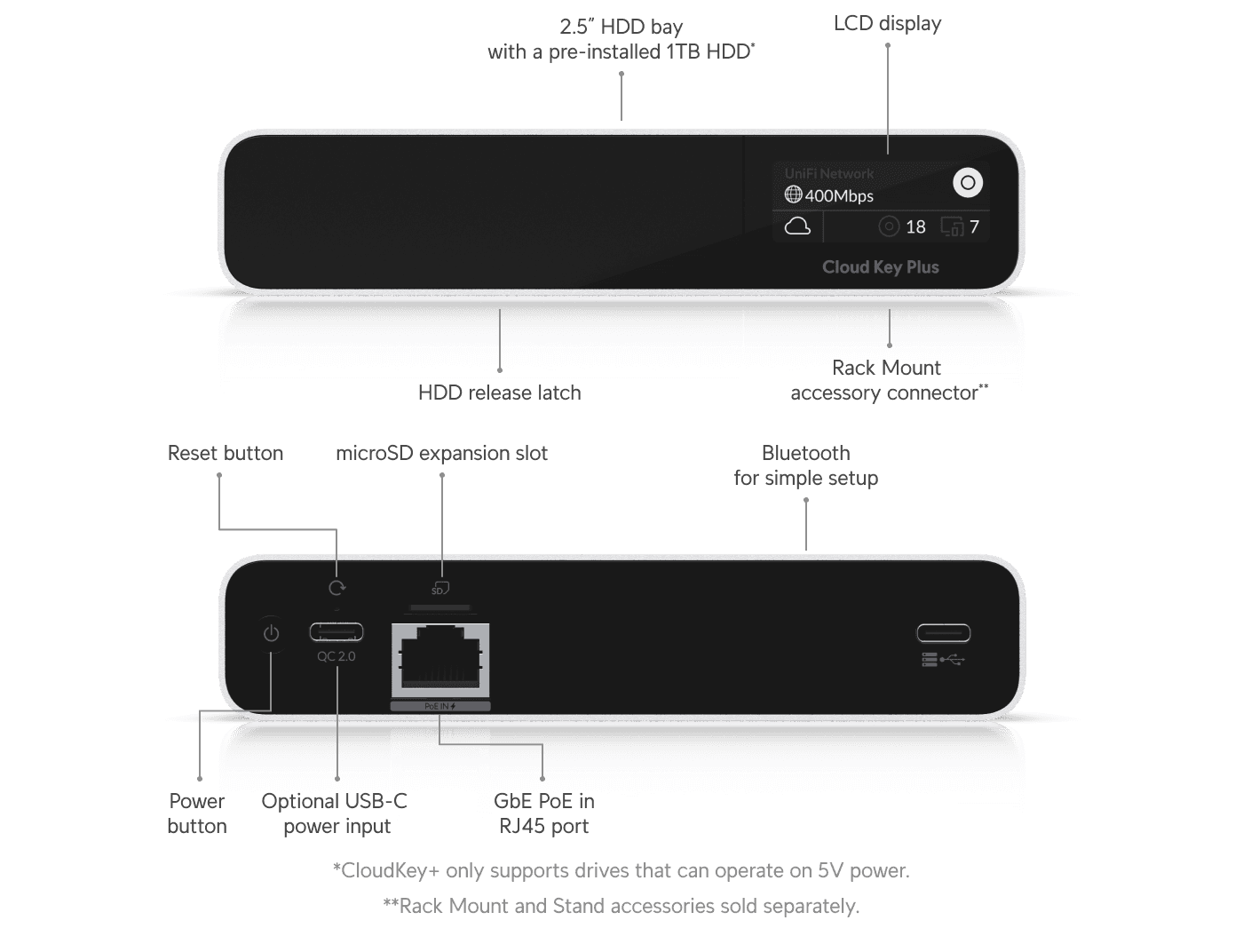
Runs the UniFi Access app: people, credentials, schedules and the event log. For example a Dream Machine Pro or Cloud Key Gen2 Plus.
- Network cable
- PoE switch with PoE++ ports
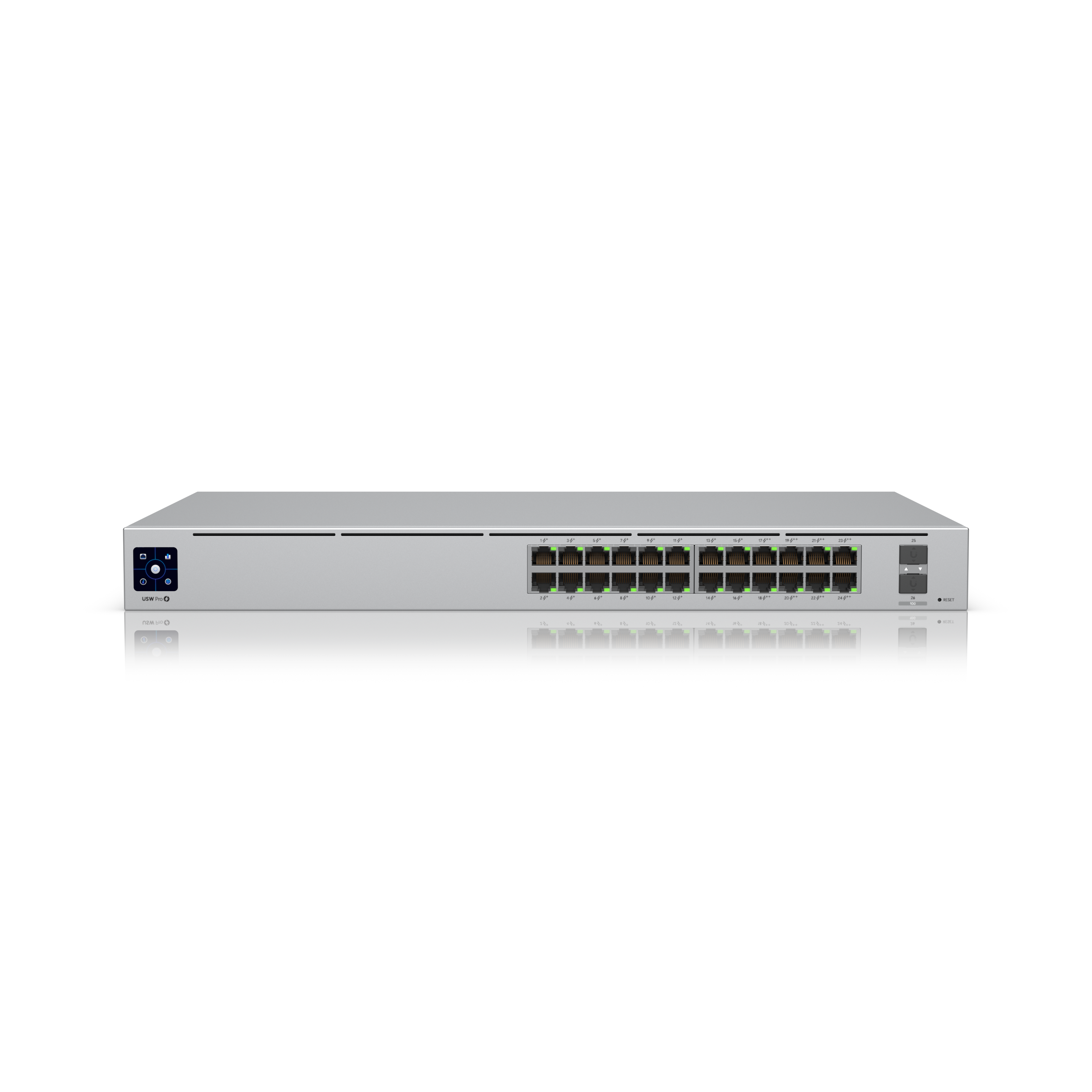
One PoE++ port for each door hub. The Switch Pro 24 PoE has 8 PoE++ ports. A PoE++ injector also works.
- One cable per door: data + PoE++ power
- Door hub (one per door)
Door Hub Mini or Door Hub, mounted above the door or in a nearby cabinet on the secure side.
At the door
- 1Reader (outside) (PoE cable)G3 Reader, Reader Pro or Reader Fingerprint. One network cable from the hub gives it data and PoE power.
- 2Electric lock (Lock power)A magnetic lock or electric strike. The hub powers a 12 V lock up to 1 A, or switches one with its own supply.
- 3Exit button (inside) (Signal wire)Lets people leave without a card. Or use a G3 Reader inside with hand-wave exit, or to badge out.
- 4Door position sensor (Signal wire)Tells the hub whether the door is open or closed.
What happens when someone opens the door
- 1Present a credential
A person taps a card, key fob, phone or watch on the reader outside the door, or uses a PIN, face or fingerprint on readers that have them.
- 2The hub checks the rules
The reader passes the credential to the door hub over its network cable. The hub checks it against the people, groups and schedules you set in UniFi Access on the console.
- 3The lock releases
If the person is allowed in at that time, the hub switches its lock relay and the electric lock releases for a few seconds. If not, the door stays locked and the reader shows it.
- 4The door reports its state
A door position sensor tells the hub when the door opens and closes, so UniFi Access can flag a door that is opened without a valid unlock.
- 5Every event is logged
UniFi Access records who opened which door and when. Admins see this in the Access app and can open doors remotely or lock down the site from a phone.
What you need for one door
The UniFi parts are the console, hub, reader and credentials. The lock, exit button, door sensor and cabling are standard door hardware that we supply and fit as part of the installation.
1. A UniFi console running UniFi Access
One console runs every door on the site. Many offices already have one. If yours cannot run Access, add a Cloud Key Gen2 Plus to the same network.
2. A PoE++ switch port
The door hub is powered over its network cable and needs PoE++. Plan one PoE++ port per door, or use a PoE++ injector.
3. A door hub
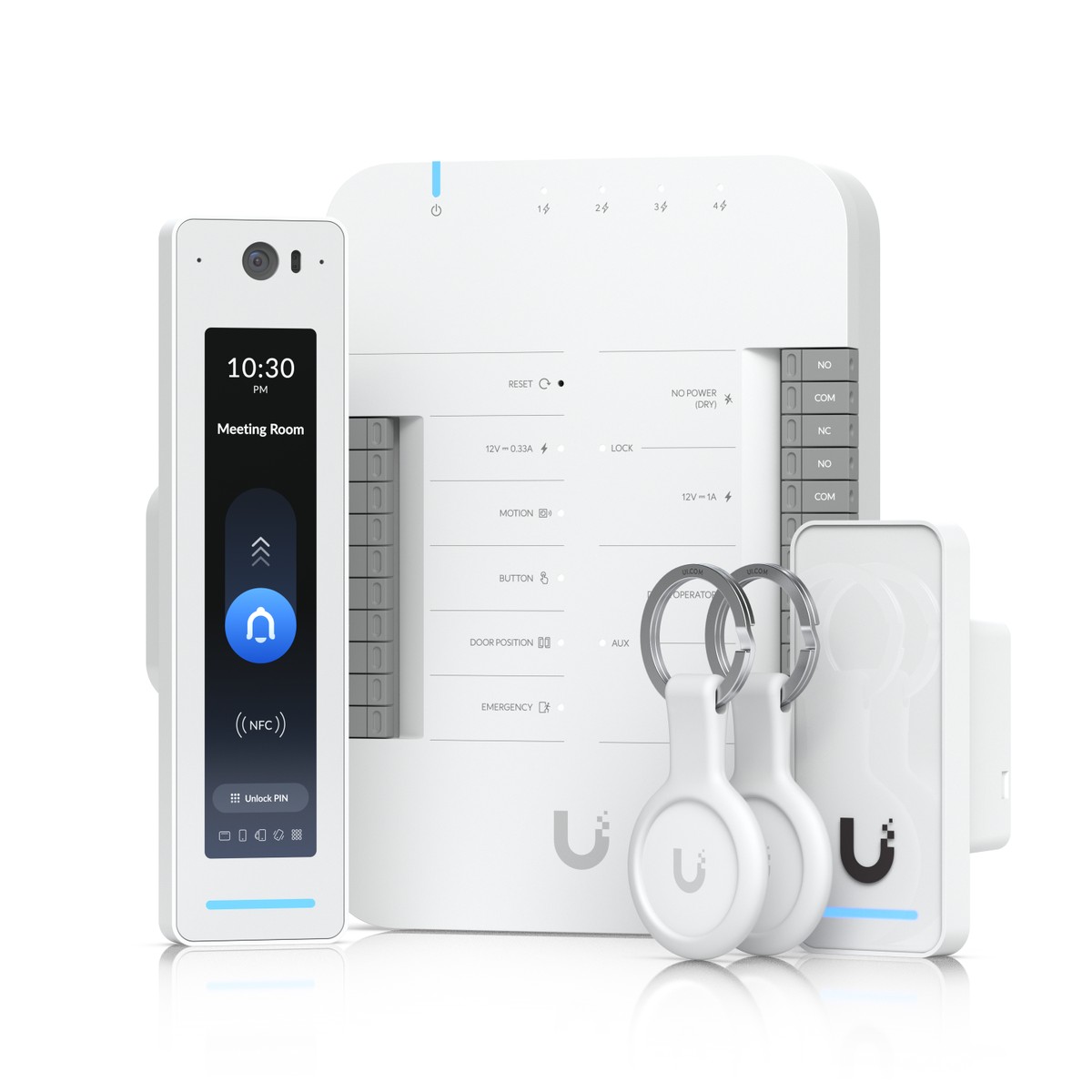
The Door Hub Mini covers a standard door with an exit button and door sensor. The full Door Hub (in the Starter Kit Pro) adds an emergency input for the fire alarm panel and outputs for a siren or door operator.
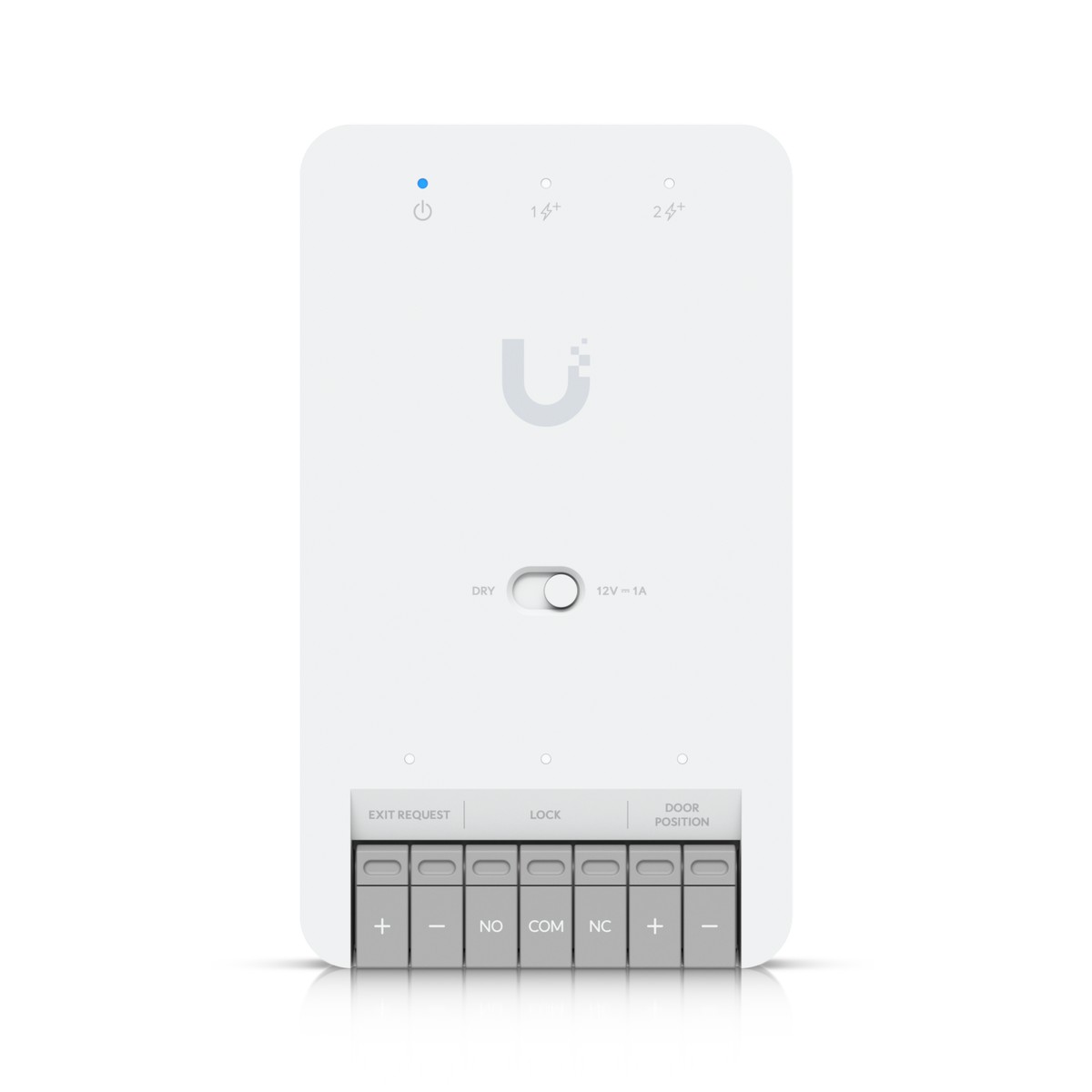
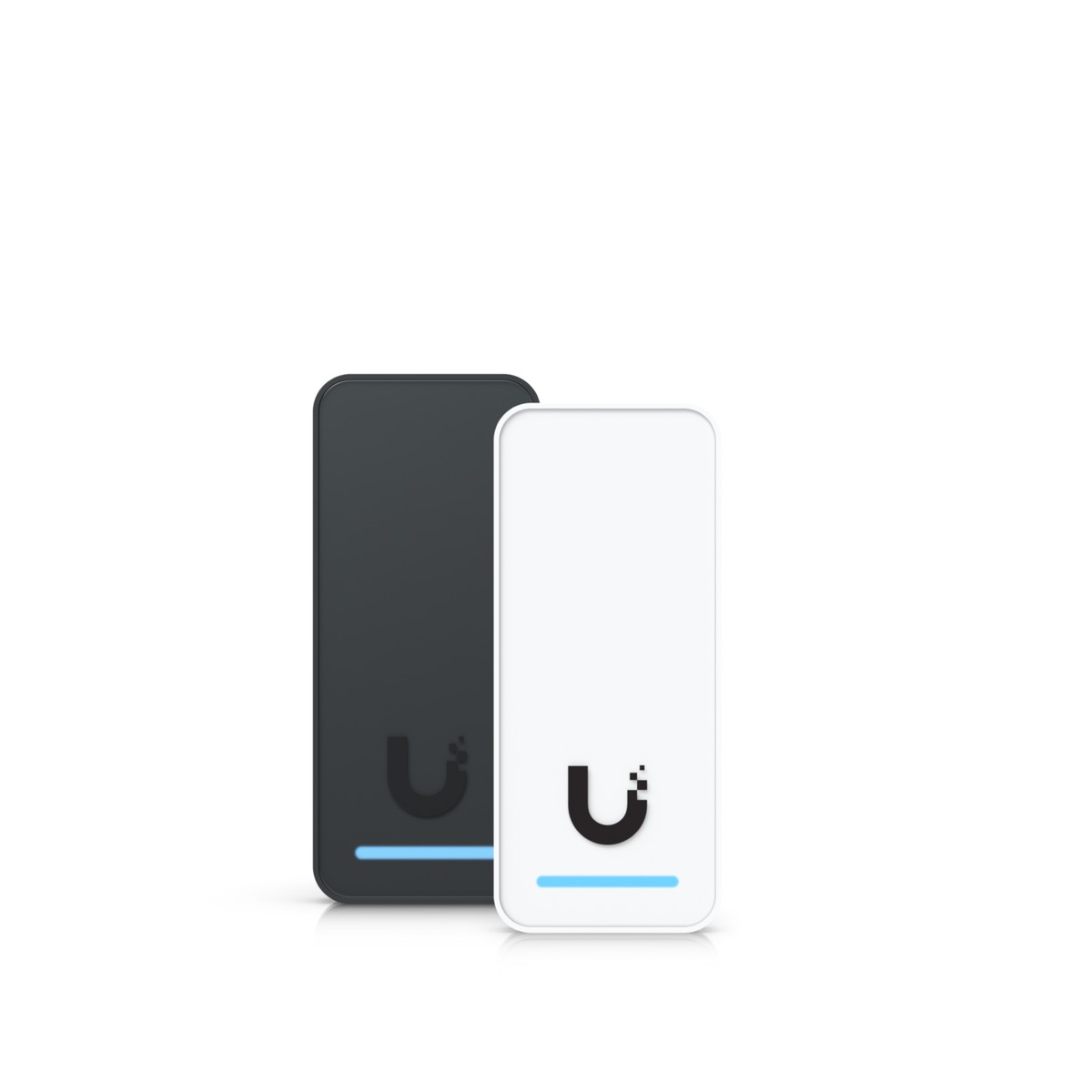
4. A reader, and cards or fobs
One reader outside. Add a second reader inside if you want people to badge out. Staff can use cards, key fobs or their phones.
Supplied with installation
- Electric lockMagnetic lock or electric strike to suit the door. Fail-safe on escape routes.
- Exit buttonA push-to-exit button inside, or a G3 Reader set for hand-wave exit.
- Door position sensorReports open and closed, so you get alerts for doors opened without a valid unlock.
- Cabling and fittingCat 5e or better to the hub and reader, lock cable, drilling and testing.
Shortcut: the G3 Starter Kit has a Door Hub Mini, a G3 Reader and two key fobs in one box. Add a console, a PoE++ port and the door hardware and you have a working door.
How many doors and users?
Ubiquiti's lab figures for two consoles we list (UniFi Access 3.4.20). Most offices are far below these limits.
| Console | Max door hubs | Max users (1 card each) | Max Reader Pro (always recording) |
|---|---|---|---|
| Dream Machine Pro | 150 | 8,000 (6,000 with card and phone) | 24 (70 without continuous recording) |
| Cloud Key Gen2 Plus | 100 | Not published | 24 (70 without continuous recording) |
Source: Ubiquiti help article "UniFi Consoles with UniFi Access Support". Each door hub also has its own user limit.
Ways to unlock
NFC card or key fob
Tap a card or fob on the reader. The starter kits include two Pocket Keyfobs, and more cards can be enrolled in UniFi Access. A lost card can be removed in the app straight away.
Phone app
With UniFi Identity turned on, staff use the UniFi Endpoint app on iPhone or Android. They tap a button in the app or tap the phone on the reader. You can also allow remote unlock from the app.
Touch Pass in Apple Wallet or Google Wallet
A door pass in the wallet, used like a payment card on an iPhone, Apple Watch or Android phone. Each console gets 10 passes free for one year, once. More passes and renewals are bought from Ubiquiti in the Access app, per user per year.
| Unlock method | G3 Reader | G3 Reader Pro | G3 Reader Fingerprint |
|---|---|---|---|
| NFC card or key fob | |||
| Phone (UniFi Endpoint app) | |||
| Apple Wallet / Google Wallet (Touch Pass) | |||
| PIN code | – | ||
| Face unlock | – | – | |
| Fingerprint | – | – | |
| QR code for visitors | – | – | |
| Video intercom and doorbell | – | – | |
| Hand-wave exit (inside reader) | – | – |
From Ubiquiti's published tech specs for each reader.
Getting out
Inside the door, people leave with a push-to-exit button, a wave of the hand at a G3 Reader set for exit, or by badging out on an inside reader. Doors on public escape routes can use a panic bar wired to the hub, so the door always opens from inside.
Licensing
The UniFi Access software has no licence fee and no per-door charge. Touch Pass is the one paid item: after the 10 free one-year passes, Ubiquiti charges per user per year, shown in the Access app at purchase. Touch Pass needs Apple Pay or Google Wallet to be available in your country.
Typical setups
One office door
A G3 Starter Kit on the main door, run from your existing UniFi console or a new Cloud Key Gen2 Plus.
- G3 Starter Kit (hub, reader, 2 fobs)
- One PoE++ switch port
- Magnetic lock, exit button, door sensor
- Staff on cards, fobs or phones
Small office, 3 to 4 doors
One console runs all the doors. Each door gets its own hub and reader.
- G3 Reader Pro at reception for visitors and intercom
- Door Hub Mini and G3 Reader on each inner door
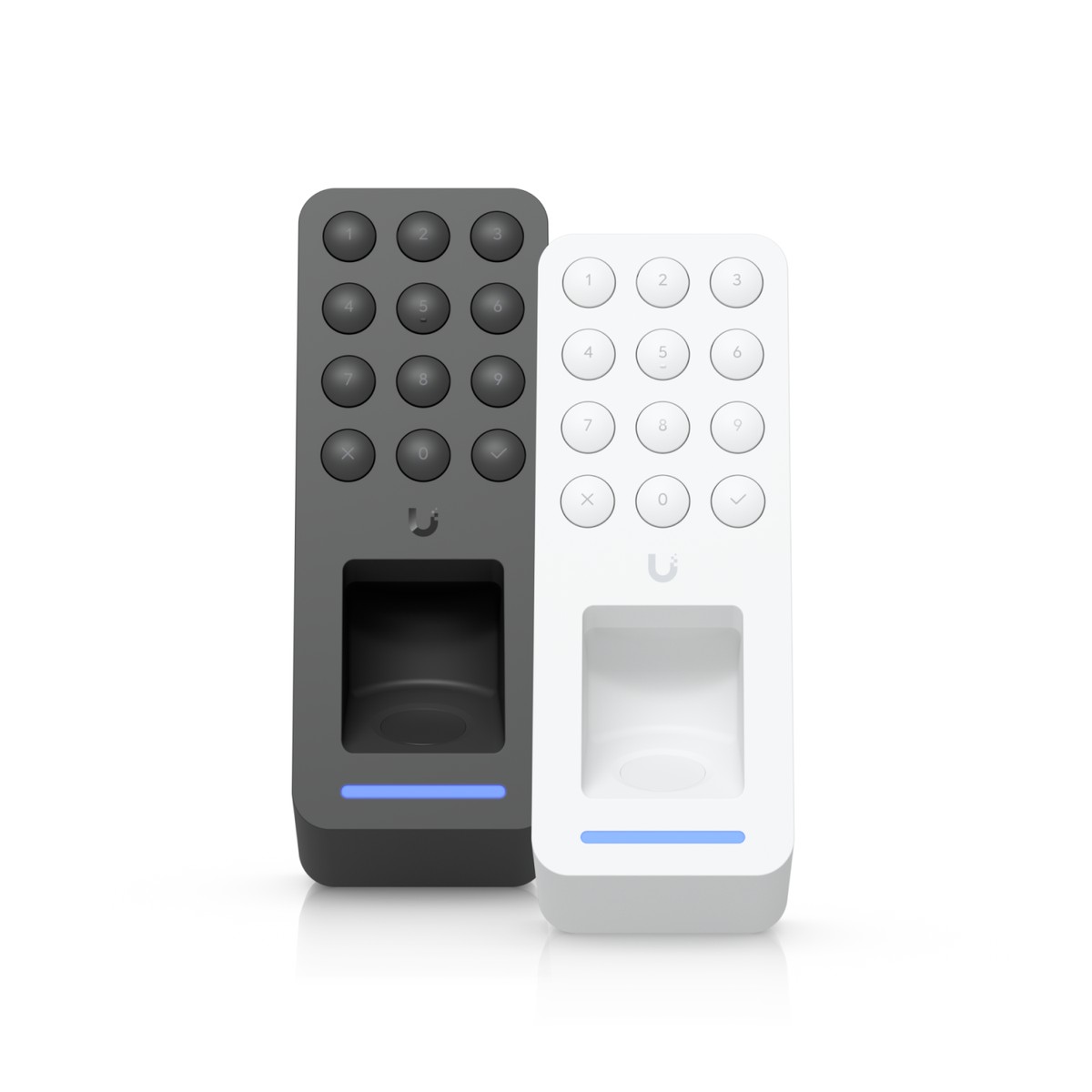
- G3 Reader Fingerprint on the server or store room
- One PoE++ port per door, for example on a Switch Pro 24 PoE
Villa or building entrance with intercom
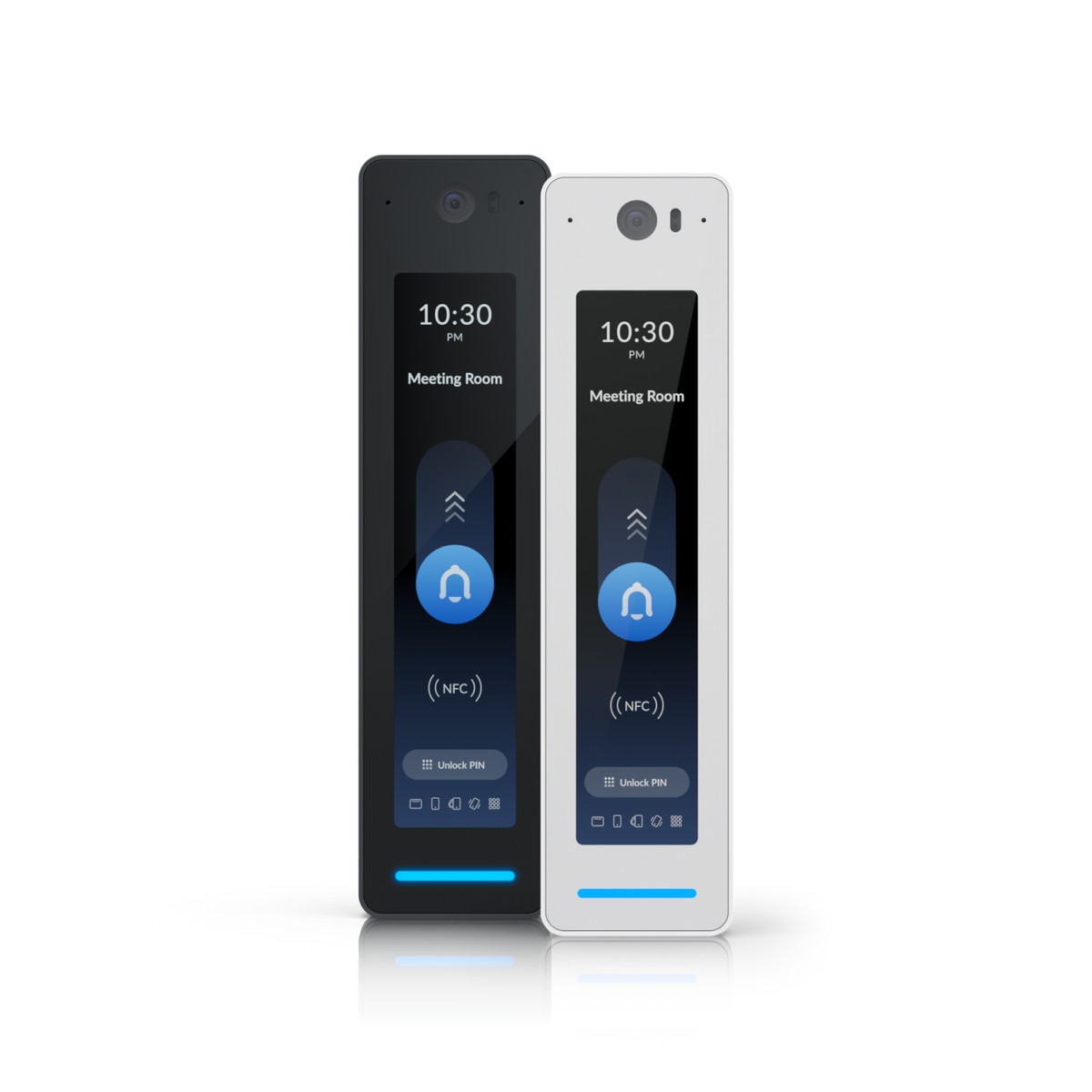
The G3 Reader Pro works as reader and video intercom. Visitors call from the screen and you answer and open the door.
- G3 Starter Kit Pro on the entrance door
- Residents use phones, Wallet passes or fobs
- Visitors can be sent a QR code
- Mount the Reader Pro in shade: its screen works up to 45 °C
For vehicle gates, Ubiquiti also makes a Gate Hub. Ask us if you want the gate and the doors on the same system.
Fire safety
On an escape route the lock must release when power is lost or the fire alarm goes off. Use a fail-safe lock, which unlocks without power, and have the fire alarm release it. The full Door Hub has an emergency input for the fire alarm panel, and UniFi Access can put doors into evacuation mode when it is triggered. The Door Hub Mini has no emergency input, so on those doors the fire alarm cuts the lock power directly. Fail-secure locks, which stay locked without power, are only for rooms that are not escape routes. Your building's fire-safety approval may ask for more, such as a break-glass release.
UniFi Access FAQ
Is there a licence fee for UniFi Access?
No. Ubiquiti describes UniFi Access as license-free. You buy the console, hubs, readers and locks once, and there is no monthly or per-door software fee. The only paid extra is Touch Pass for Apple Wallet and Google Wallet after the free passes, which Ubiquiti charges per user per year inside the Access app.
Which UniFi console do I need to run UniFi Access?
UniFi Access runs on a UniFi console. Ubiquiti's list includes the Dream Machine Pro, Dream Machine SE, Dream Machine Pro Max, Cloud Key Gen2 Plus (CloudKey+), Cloud Gateway Max, Cloud Gateway Fiber, Dream Router, Dream Router 7, Dream Wall and the UniFi NVR models. If your current UniFi gateway cannot run Access, you can add a Cloud Key Gen2 Plus or an NVR to the same network.
How does Touch Pass work and what does it cost?
Touch Pass puts a door pass in Apple Wallet or Google Wallet, so staff tap an iPhone, Apple Watch or Android phone on the reader without opening an app. Ubiquiti gives each UniFi Access console 10 Touch Passes free for one year, granted once when the first compatible reader is adopted. After that, the console owner buys passes and yearly renewals from Ubiquiti in the Access app, where the price per user per year is shown. Touch Pass needs Apple Pay or Google Wallet to be available in your country.
What happens to the door if the power or network goes down?
That depends on the lock. A fail-safe lock, such as a magnetic lock, releases when it loses power, so people can always get out. A fail-secure lock stays locked without power and suits rooms like a server room that are not escape routes. On any escape route, use a fail-safe lock and make sure the fire alarm can release it.
Can I use UniFi Access with my existing locks and cabling?
Often, yes. The UniFi door hubs power a 12 V lock drawing up to 1 A directly, and can switch other locks that have their own power supply through a dry relay. Readers need one network cable each, at least Cat 5e. We survey the door first and tell you what can stay and what needs to change.
Do you supply and install UniFi Access in Kuwait?
Yes. Centrix in Hawally supplies the UniFi console, hubs, readers and key fobs, and installs the lock, exit button, door sensor and cabling. We set up UniFi Access with your users, schedules and phones. The G3 products are price on request, so send us the number of doors and we will quote the complete job.
UniFi Access G3 products
Price on request. Send us your door count on WhatsApp and we will quote the complete job.

 Ubiquiti·Access Control
Ubiquiti UniFi Access G3 Starter Kit (UA-G3-SK)
One-door UniFi Access kit: Door Hub Mini, G3 Reader and 2 key fobs. Card, phone and Wallet unlock.
 Ubiquiti·Access Control
Ubiquiti UniFi Access G3 Starter Kit Pro (UA-G3-SK-Pro)
Entry and exit kit for one door: Door Hub, G3 Reader Pro, G3 Reader and 2 fobs. Intercom and fire input.
 Ubiquiti·Access Control
Ubiquiti UniFi Access G3 Reader (UA-G3)
Compact NFC door reader for UniFi Access. Opens with card, fob, phone or Apple/Google Wallet. PoE, IP55.
 Ubiquiti·Access Control
Ubiquiti UniFi Access G3 Reader Pro (UA-G3-Pro)
Touchscreen door reader with camera and intercom. Card, PIN, face, phone and Wallet unlock. PoE, IP55.
 Ubiquiti·Access Control
Ubiquiti UniFi Access G3 Reader Fingerprint (UA-G3-Fingerprint)
UniFi Access reader with fingerprint, keypad and NFC. Also phone and Apple/Google Wallet unlock. IP55.
 Ubiquiti·Access Control
Ubiquiti UniFi Access Door Hub Mini (UA-Hub-Door-Mini)
Compact one-door hub for UniFi Access. Powers 2 readers over PoE, drives the lock, exit and door inputs.